 Pages We Keep
Stories
The summer we got lost
A familiar voice. A small adventure. The details only they remember.
Her recipe. His laugh. The way she told it. One day you’ll wish you had saved them. Pages We Keep is the private place your family keeps what matters, and you can start tonight.
Download on the App StoreFree to start. Private to your family. For iPhone.
The Willow
Family
The little moments. The big stories.
Everything that makes us ours.
“We took the long
way home.”
Illustrative preview · Fictional demo family
Keep a story with its original photo, or give a family recipe a home. These screenshots show a sample family.
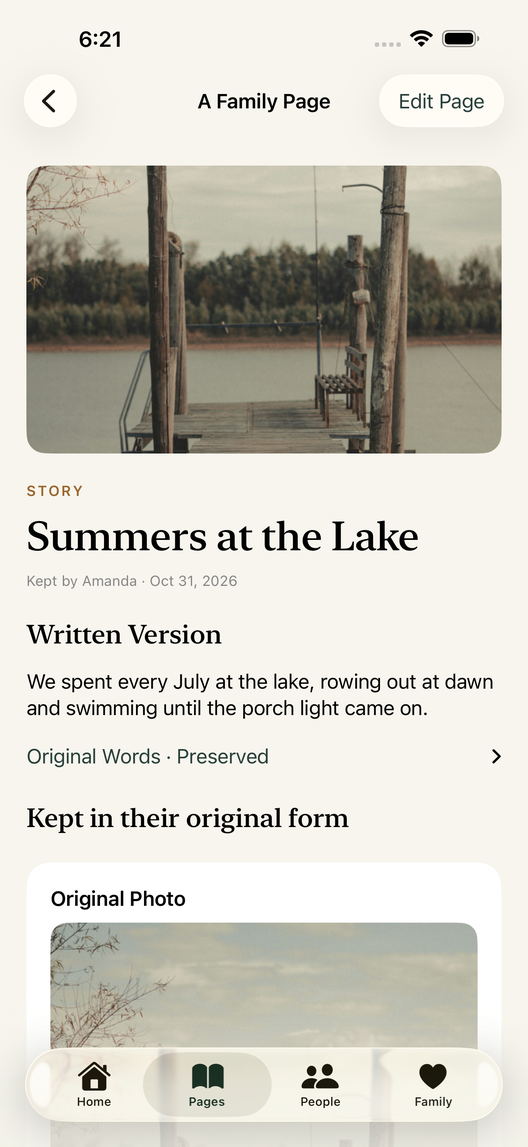
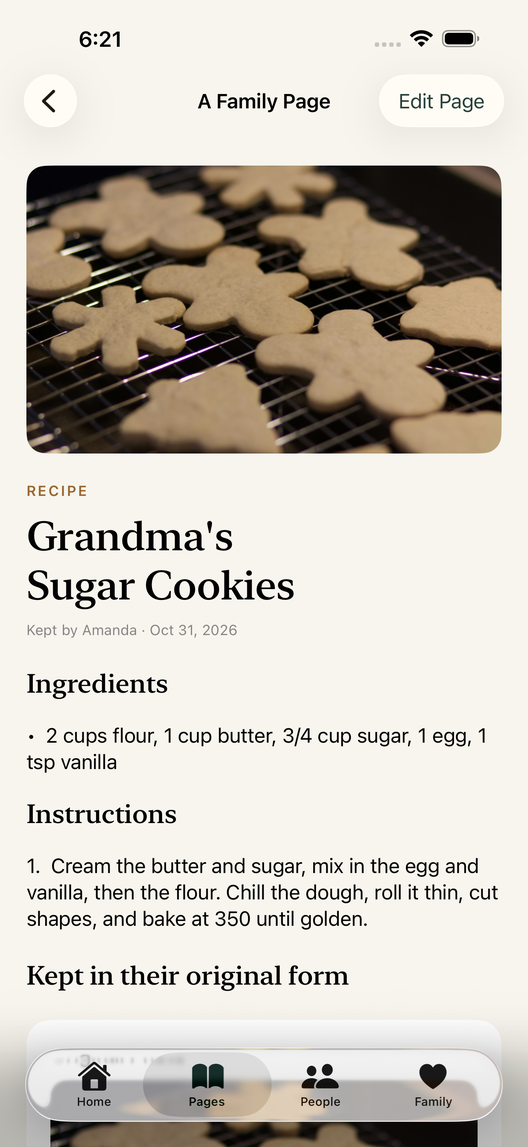
The small things go first. The way she hummed. The phrase he always said. The recipe that was never written down. You don’t need a free weekend. Ask one person one question tonight, save the answer, and invite someone to add theirs.
A family’s history lives in more than photographs. Make room for the stories, traditions, and small details that bring it to life.
A familiar voice. A small adventure. The details only they remember.
The handwritten recipe, the family notes, and the person behind it.
Photos, recordings, and little moments that become part of your family story.
Keep the story of a meaningful object, along with who it belonged to.
Illustrative examples. All names, stories, and family details on this site are fictional.
A Family Space gives your memories a home. Each story, recipe, belonging, or memory becomes a Page, connected to the people who make it meaningful.
Begin with a family name and a place for your shared history, kept on your phone or shared with relatives you invite.
Write a story, record a voice, or add original photos, video, and documents. Start with one memory you’d like to keep.
Add family-history People and attribution. They don’t need an app account to be part of your family’s history.
“She never measured the lemon zest. She said you could tell by the smell.”
From a fictional family recipe Page
The original recording matters. So does the handwritten recipe, the photograph, and the name of the person who shared it. Pages We Keep keeps the files you add, with family attribution, alongside your Pages. Photos taken inside the app are saved as high-quality JPEGs.
Learn about portable backupsOne person, the organizer, starts a family and can subscribe to the Family Plan. Everyone they invite joins free. Keep the originals of anything irreplaceable somewhere safe, too. iPhone only for now.
Important: keep your originals. Pages We Keep is a place to share and remember your family’s stories. It is not a replacement for safely storing your original photos, videos, recordings, documents, or anything else you add to a Page. Please keep the originals, and your own backups, somewhere safe that you control.
Local families stay on your phone; shared families sync. Shared families keep Pages and original files in access-controlled storage for their members. An organizer can choose to copy a local family into a shared one. Optional suggestions ask for your consent first. Available in the US on iPhone.
 The studio behind the app
Tidewright Studios builds practical apps for everyday life. We created Pages We Keep to give families a private place for stories, recipes, recordings, and memories.
Tidewright Studios is operated by Sweetz Holdings LLC.
Pages We Keep is available on the App Store for iPhone in the United States. It’s free to start.
Free to start, with one family of up to 20 Pages and 500 MB. The Family Plan is $4.99 a month or $39.99 a year (the yearly plan has a 7-day free trial). Only the organizer subscribes; everyone they invite joins free.
It depends on the kind of family. A local family stays on your phone. A shared family stores its Pages and original photos, recordings, video, and documents with our hosting provider so every member’s phone can see them. Nothing in a local family is uploaded unless an organizer chooses to connect or copy it into a shared family. See the privacy notice for details.
Yes. Organizers can export a portable .pageswekeep backup and restore it as a separate family copy. Keep a recent backup outside the app and check that it restores before deleting a family or changing devices. Backup files are not locked with a password, so keep them somewhere private.
An organizer starts a shared family and invites relatives by email. Each person joins with their own account. Organizers manage members and roles, contributors add and edit their own Pages, and viewers read.
No. A Person represents someone in your family history. You can attribute Pages to them without making an app account for them.
Only when you choose. Optional suggestions, such as reading a photographed recipe card, ask for your consent first, and your original words and files are never overwritten. See the privacy notice for what is sent and to whom.
Get family story prompts and updates about new features. For US adults aged 18 or older. Signing up does not create an app account.